Scheduled invoicing
Scheduled invoicing is for when a customer has a repeating order required for them on a set schedule, with minimal to no variation.
Setting this up has two parts, first setting up the template you want, then scheduling the recurrence of invoicing of that template.
First to set up a template follow this guide here.
Next once this is done open up your customer cards, and go to the templates tab.
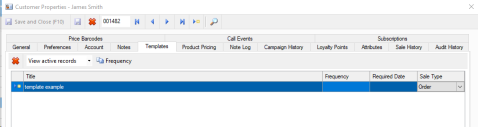
Highlight the required template, select frequency in the top left, then select from the options available to set up the schedule.
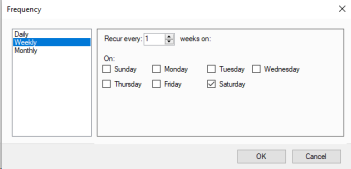
Once this is set you can also set the required date, this is how many days after the order is created is it required. So if you have the order created on the Saturday to be delivered on the Monday you would set a required date of 2.
This will run in the background and the invoice will simply appear in your sales command centre ready for payment, emailing, or any other invoice management required.
You are also able to set up what time of day it runs from Settings > Global Settings > Quotes/Orders/Sales. The section called Recurring Sale/Order Templates contains the setting such as Till, User, and time of day to create the orders.